
Chapter 8
Forecast
Forecast is the week ahead in one scroll: what's past due, then each day with its calendar events and tasks.
The strip
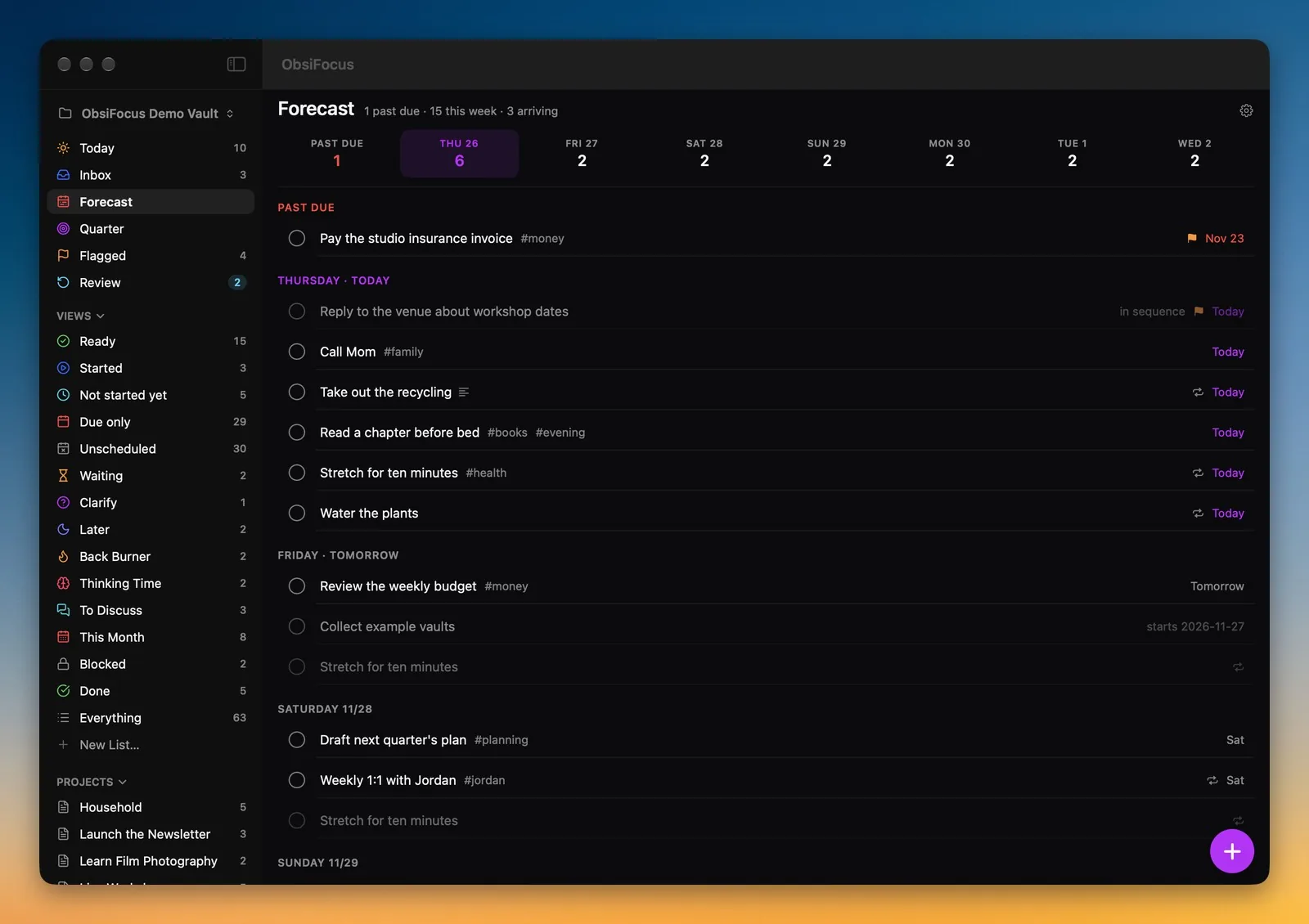
Across the top: PAST DUE and one cell per day, each with a count. Tap a cell to jump to that day. The header sums it up: N past due · N this week · N arriving.
Each day
Days run from today forward — 7 by default (Settings → General → Forecast → Days ahead, 3–14). Sections are titled like Monday · Today, Tuesday · Tomorrow, Wednesday 11/26. Inside each day, in order:
- Calendar events — time, title, length.
- Tasks due that day (or scheduled that day, if they have no due date).
- Arriving — tasks whose start date lands that day (future days only).
- Repeats — faint previews of where your repeating tasks will land. They're projections, not tasks yet, so you can't open or drag them. ("After completion" repeats aren't previewed, since their next date depends on when you finish.)
Past Due sits above today when anything is late.
Moving work
Drag a task onto another day. It moves the date that put it there: the due date if it has one, otherwise the scheduled date, otherwise the start date. Empty days accept drops too.
Calendar events
Forecast shows events from the calendars on your device (read-only). The first time you open it, ObsiFocus asks for calendar access.
- Calendars menu (top right) — tick which calendars to show, grouped by account. Remembered per device.
- Settings → General → Forecast → Show calendar events — turn events off entirely.
- If access was denied, Forecast points you to System Settings → Privacy → Calendars.