Chapter 9
Projects, Review and People
Projects
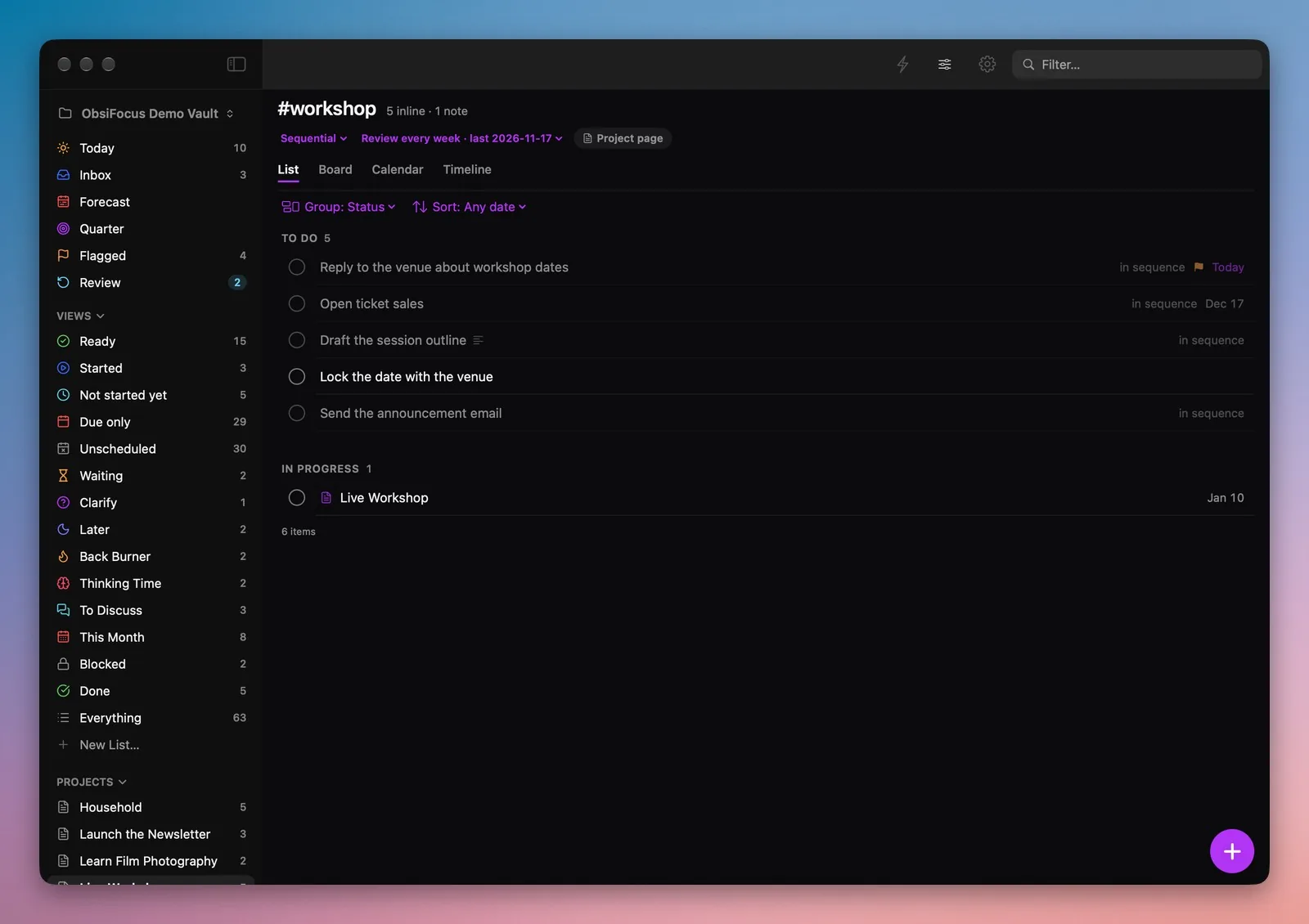
A project is a note with a project tag. Every task carrying that tag, anywhere in your vault, belongs to the project. (The exact format is in How ObsiFocus Works › Projects.)
- New Project… (sidebar, or the Projects menu on iPhone) creates the note from your project template.
- Clicking a project in the sidebar shows all its tasks in your chosen layout.
- In Triage you can create a project just by typing its name in the Project picker.
Project modes
Set from the Mode chip on a project (it writes mode: to the note):
- Parallel — any open task is available.
- Sequential — only the first open task is available; the rest wait their turn (tasks in the project note come first, in order, then tasks elsewhere). Waiting tasks show in sequence.
- Single Actions — a standing bucket of unrelated tasks.
The project page
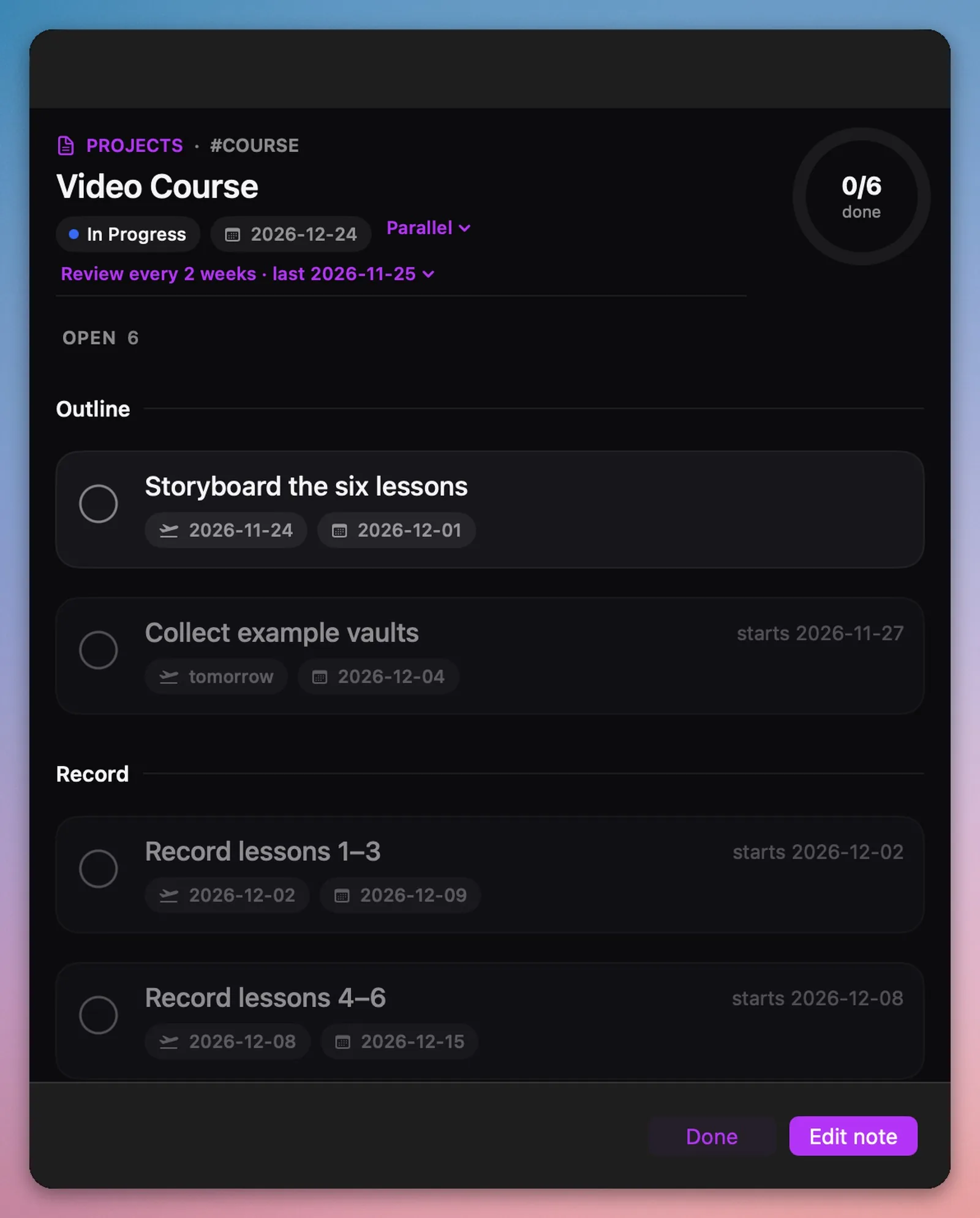
Opened with Project page (from the project's header, the task editor, or a goal on the Quarter dashboard):
- Status, flag, dates, tags, Mode and Review chips, and a progress ring (done / total).
- Open tasks, grouped under the note's own headings, with Elsewhere in the vault for tagged tasks in other files.
- A field to add a task straight into the project.
- Done tasks below.
- Edit note opens the project in the editor.
Review
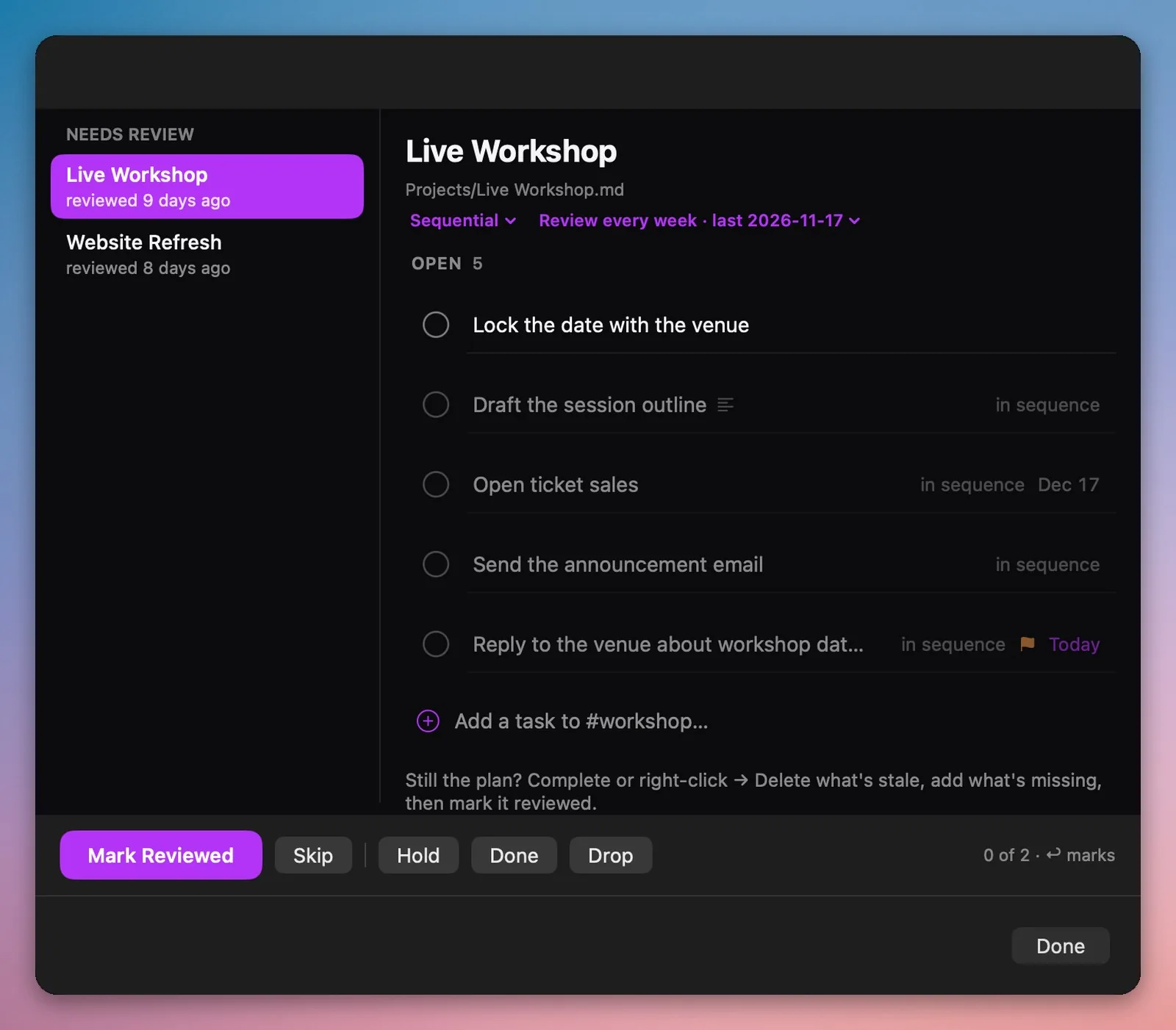
Review is a regular look at each project so nothing goes stale. A project joins the review queue when it has a review cadence and its next review date has come (never-reviewed projects are due right away).
Set the cadence from the Review chip on a project: No review, every 3 days, every week, every 2 weeks, every month, every 3 months.
Open Review from the sidebar, the iPhone title menu, ⇧⌘R or ⌥⌘6. (The letter keys stand down while you're typing in the add-a-task field.) The left rail lists NEEDS REVIEW; the right shows the project, its open tasks, and a field to add more. On iPhone the projects are a row of chips across the top (swipe for more), and Mark Reviewed runs full width above Skip, Hold, Done and Drop.
| Action | Key | Does |
|---|---|---|
| Mark Reviewed | Return or ⇧⌘R | Stamps today as the last review and moves on |
| Skip | S or ⌥Return | Moves on without stamping |
| Hold | H | Puts the project on hold (and marks it reviewed) |
| Done | D | Marks the project done |
| Drop | X | Marks the project cancelled |
When the queue is empty: All reviewed.
Focus
Narrow the whole app to one project — every view, count and Triage. Right-click the project → Focus on …, or ⇧⌘F while viewing it. Details in Finding Your Way › Focus.
People
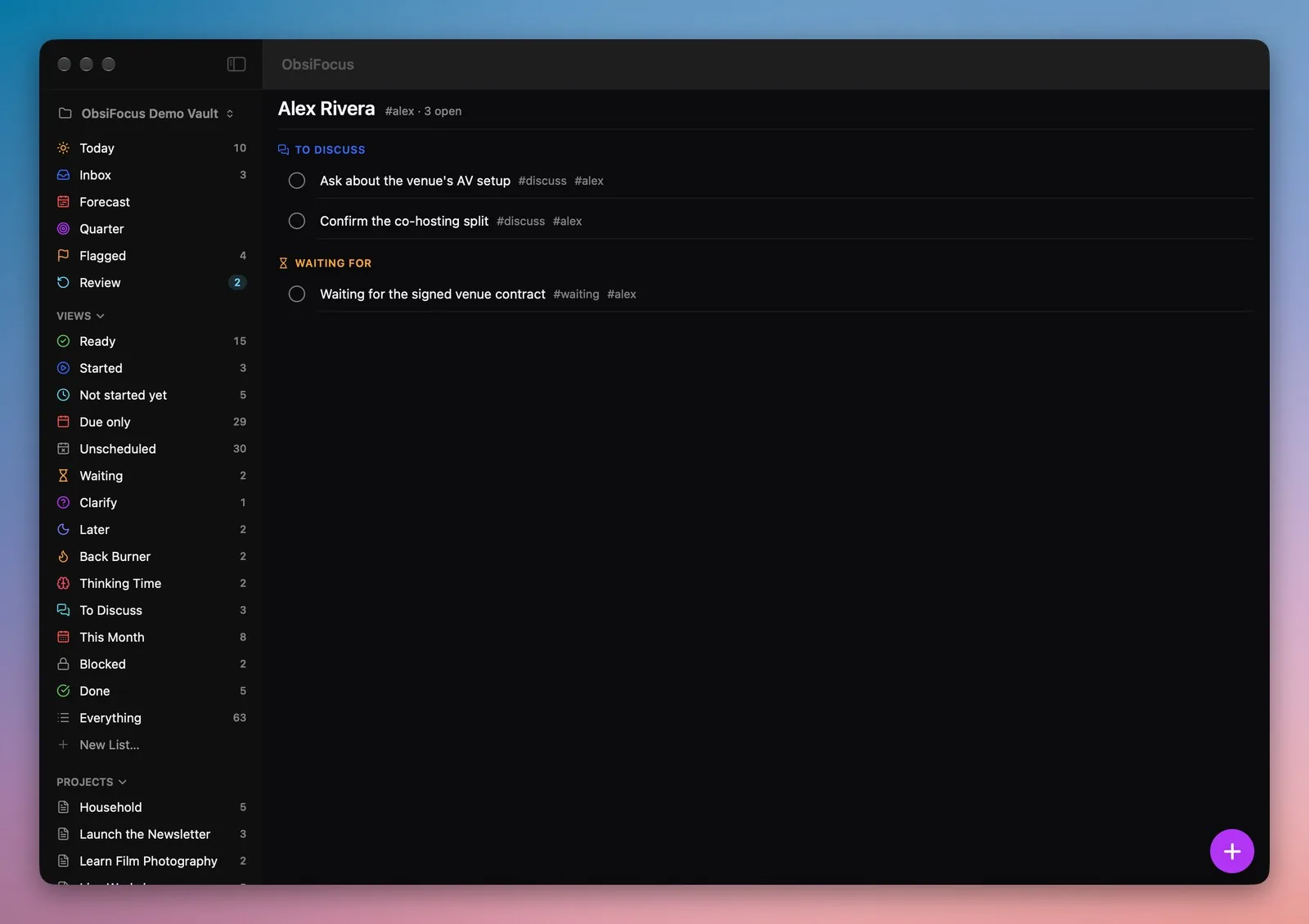
A person note is a note in People/ with a person tag. Tasks carrying that tag appear on their page:
- To Discuss — tagged with them and
#discuss - Waiting For — tagged with them and
#waiting - Everything Else — anything else tagged with them
Open a person from the sidebar, the People menu on iPhone, or ⌘K. Hide people you don't need in the sidebar (right-click → Hide).